Case study
Time & fee management for Bootham Architects
Bootham Architects is a small, RIBA chartered practice in York. Its owner, Sara Corsaro, needed a simple way to track time and cost on every project. After one meeting she had a working system to test, and a few days later a bespoke system for her practice.
- Client
- Bootham Architects, York
- The brief
- A simple time & cost system to manage projects
- What we built
- A web app for logging time and tracking fees, stage by stage
- Timescale
- A version to test after one meeting; in use within days
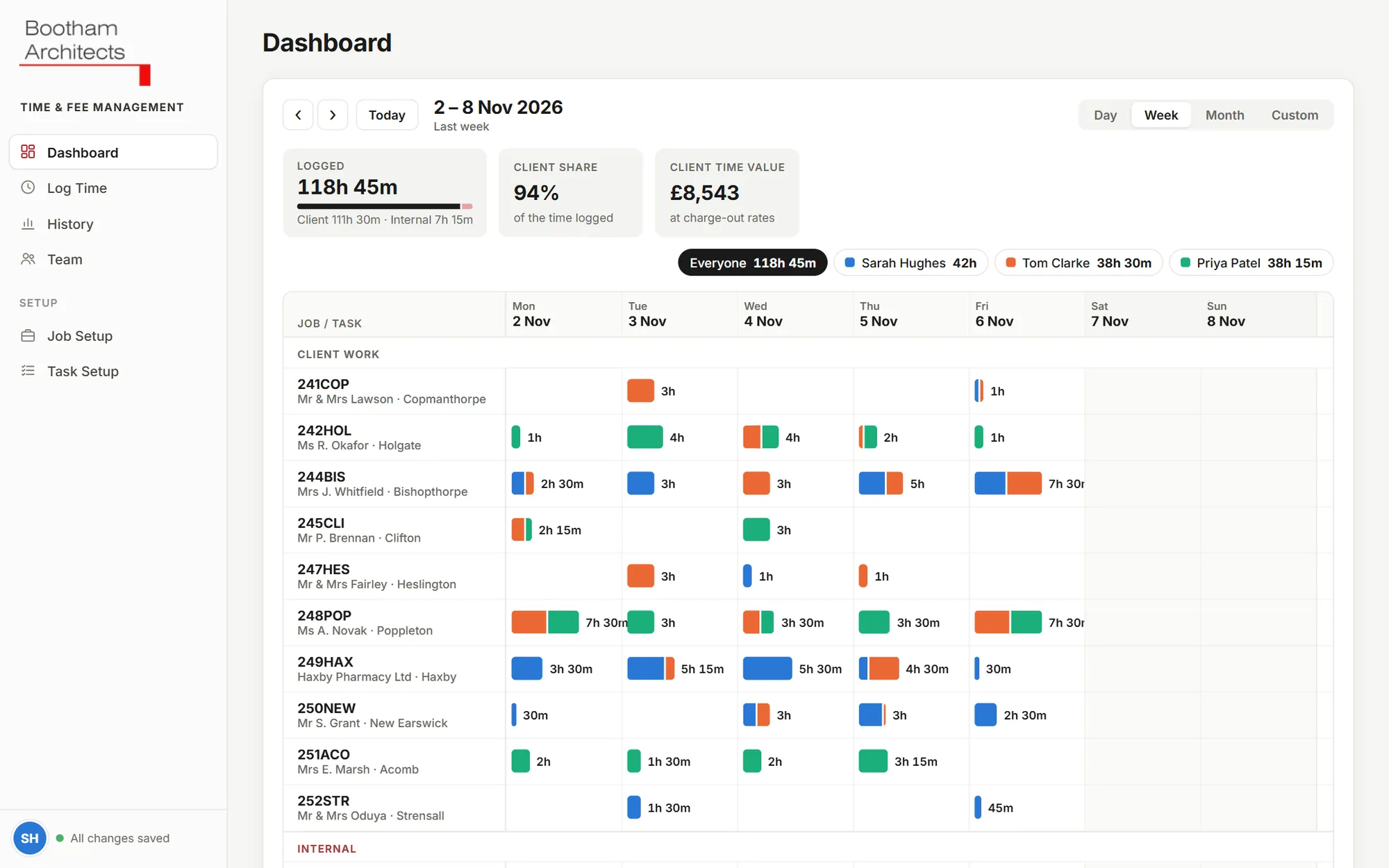
The dashboard: a week of time across every job, coloured by person. All screens on this page use sample data, not real client details.
The brief
Architects usually quote a fee for each stage of a job: measuring up, sketch design, planning, technical design and so on. The question that matters is simple. Is the time going into each stage staying within the fee quoted for it?
Sara wanted a system that answered that without getting in the way: quick for the team to log time, and clear enough to show where every job stands at a glance.
How we worked
-
One meeting
Flavio met Sara to understand how the practice works and what she needed to see.
-
A version to test
Straight after the meeting, we built a first version Sara could try for herself.
-
A few days of back and forth
Sara told us what to change, and we changed it. A few days later the practice had a bespoke system.
What the system does
Built around how an architects' practice actually runs: jobs, stages and fees.
Quick to log time, from anywhere
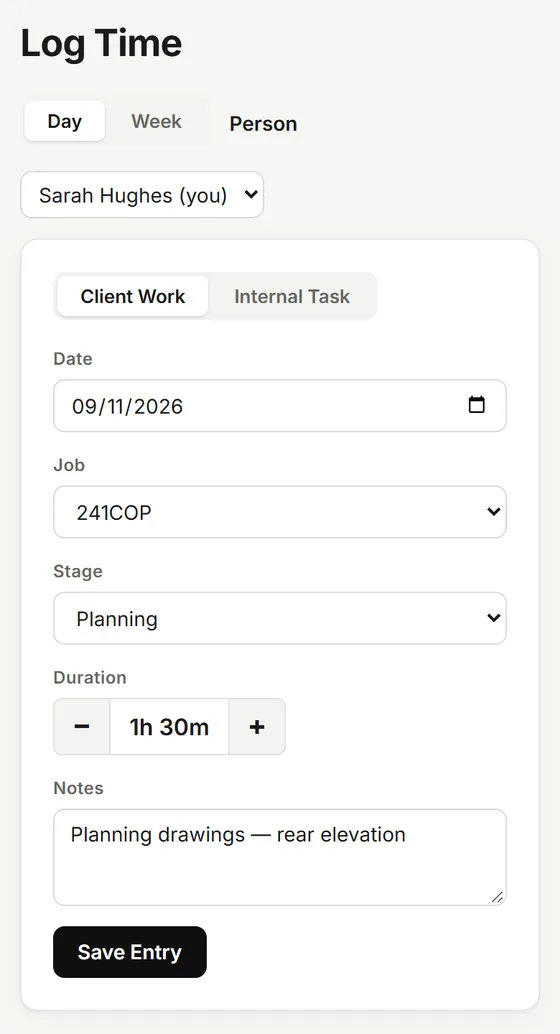
Pick the job and stage, set the time and add a note if you like. It works on a phone as well as at a desk, by the day or as a weekly timesheet. Internal time, such as admin and training, is logged too.
See where the week went
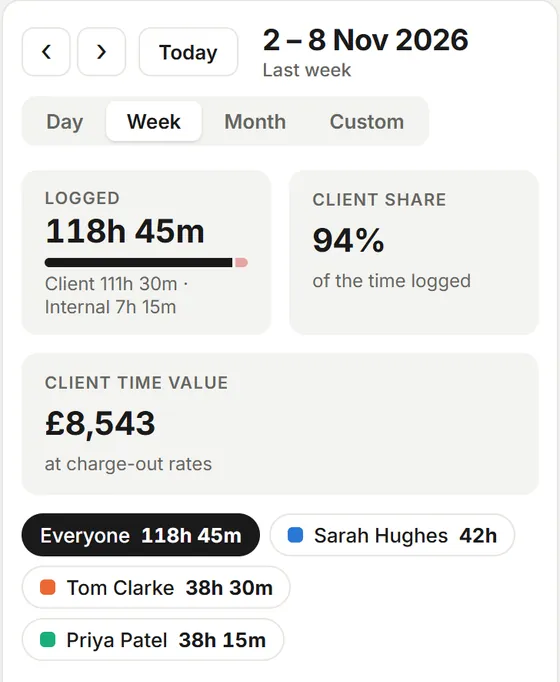
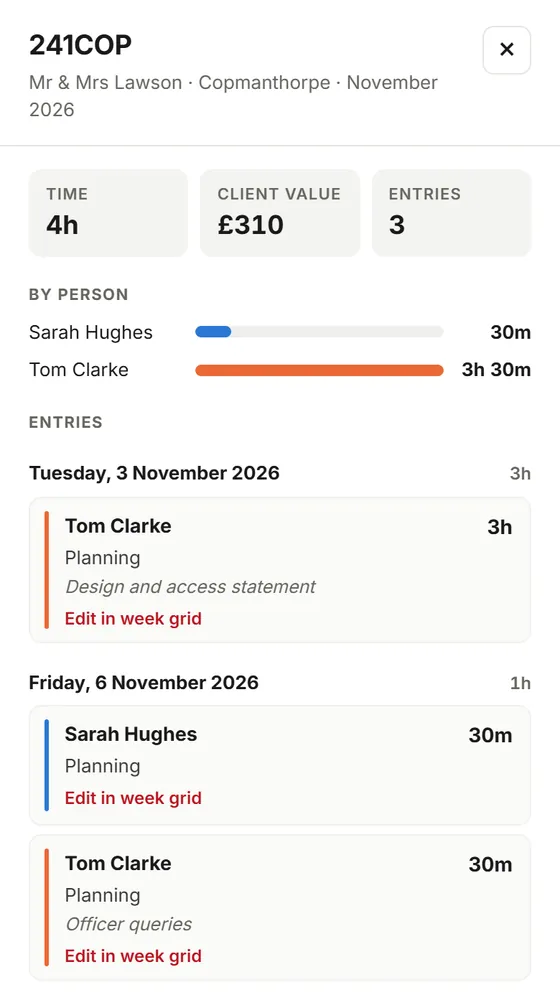
The dashboard shows who worked on what each day, how much of the time was client work, and what that time is worth at each person's charge-out rate. Tap any job or day to see every entry behind it.
Fees against time, stage by stage
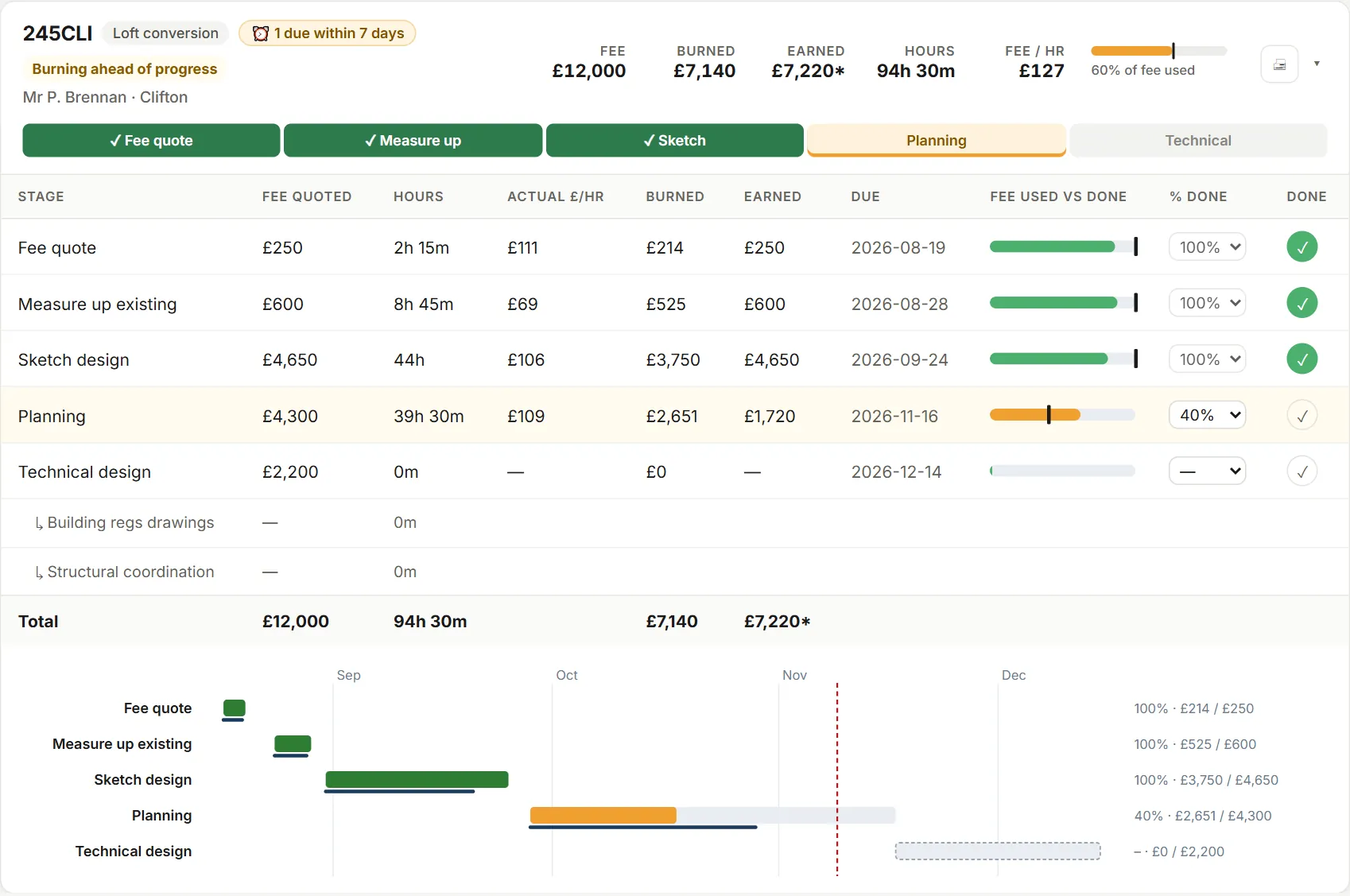
Every job shows its fee, how much has been used so far and the hourly rate it's actually earning. Open a job to see each stage: the fee quoted, hours logged, due date and how far through it is, with a timeline underneath.
Problems flagged early
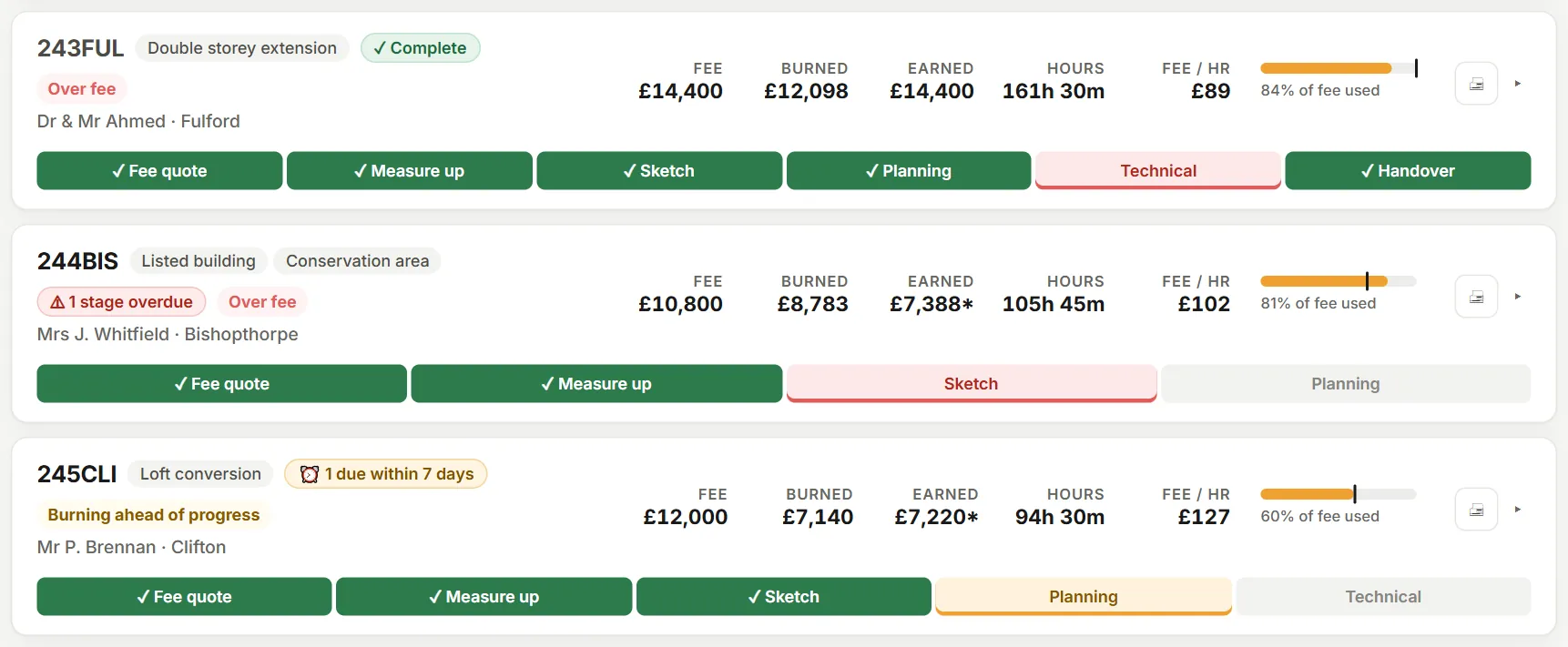
Jobs are flagged when they go over fee, when a stage is overdue or due within seven days, and when time is being used faster than the work is progressing, so there's still time to act.
Better-informed quotes
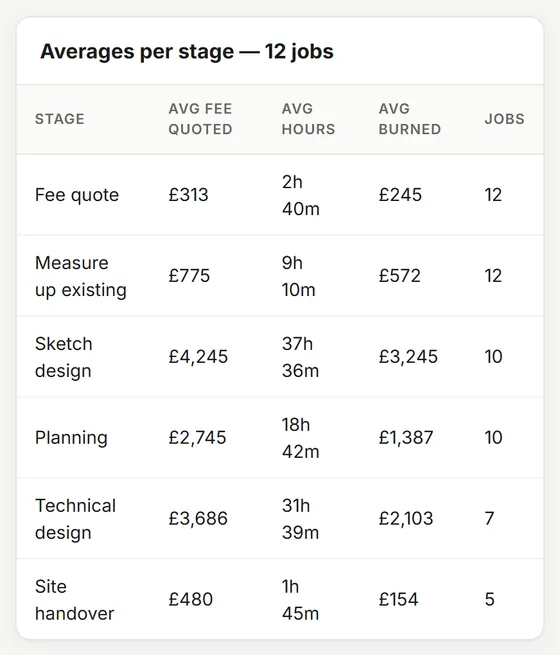
The history page averages the fee, hours and cost of each stage across past jobs, and can be filtered by job type. The next fee quote can be based on what similar jobs really took.
And the details that make it practical
Set up to fit
Job types, stages and sub-stages, and each person's charge-out rate are all set by the practice.
Print any job
Any job can be printed or saved as a PDF, ready for the file.
Team sign-in
Staff sign in with their Microsoft account, and only people the practice has invited can get in.
Works offline
No signal on site? Time is saved on the device and synced as soon as the connection is back.
As the owner of a small architects' practice I needed a simple time and cost system to manage my projects. I had an initial meeting with Flavio, after which they quickly came up with a system I could test. A few days later and after a bit of back and forth I now have a bespoke system for my practice. They were able to understand my needs and come up with a software system that is very effective and simple to use. I would definitely recommend their services.

Could your business use something like this?
Tell us what's slowing you down and we'll send a plain-English overview with a guide price, usually within 1 business day.
Get an Online QuoteNo obligation • No sales pitch • Plain English, always